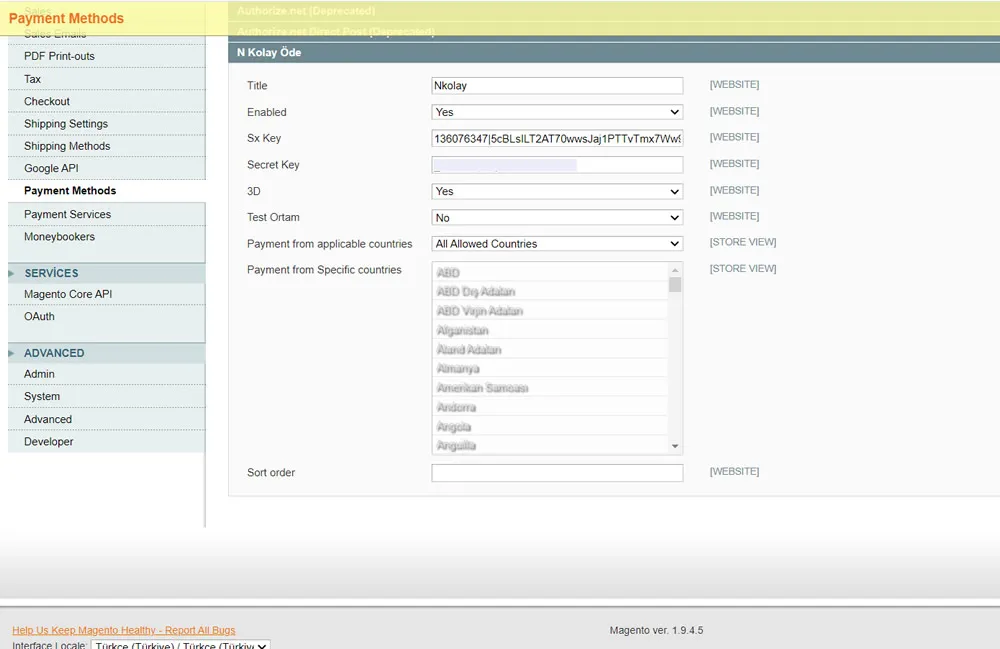

Magento 1.9 Integration
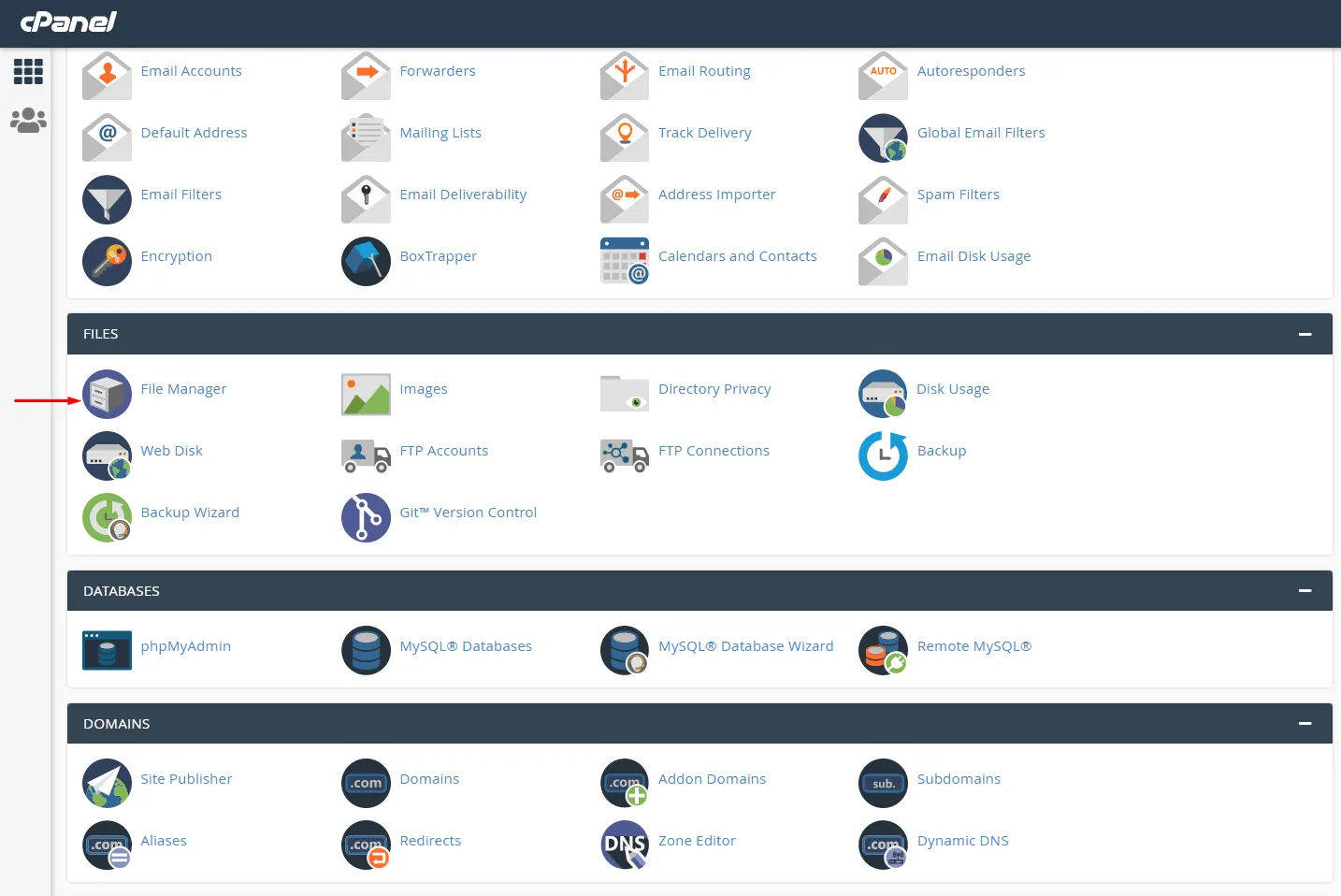
Access the File Manager through your site’s FTP address or via Cpanel.
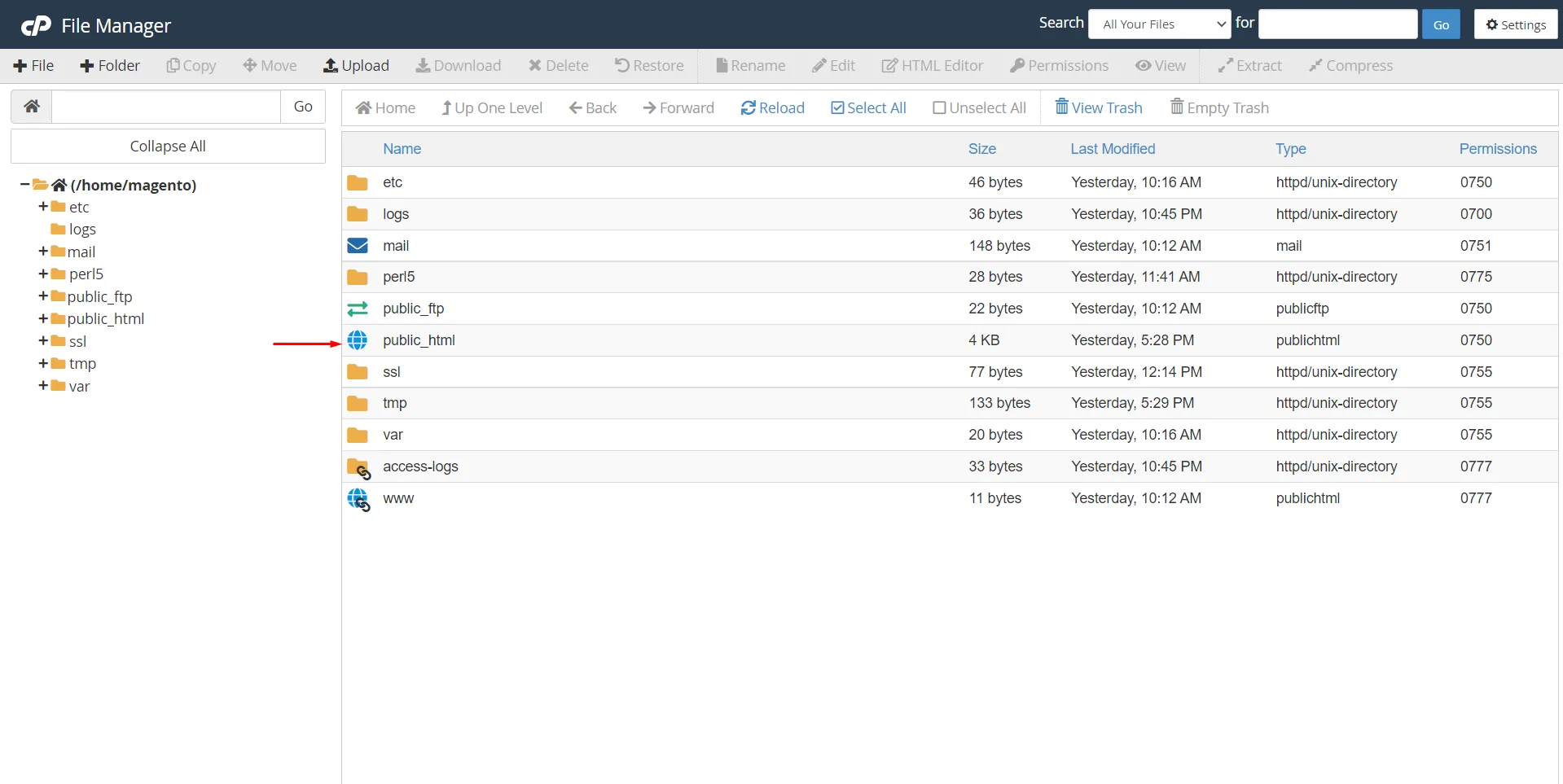
On the opened page, enter the public_html folder.
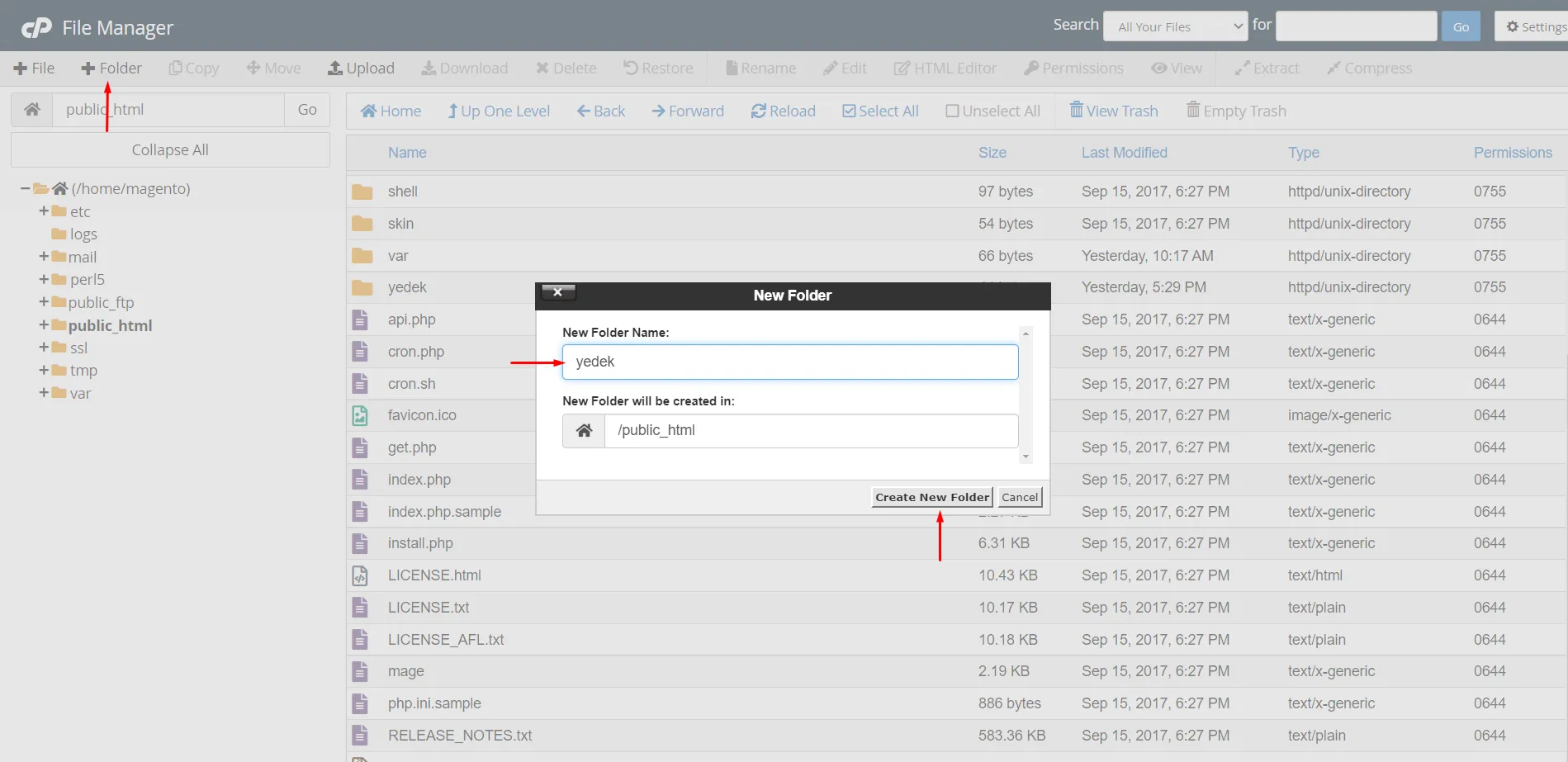
On the opened page, click on Folder to create a new file.
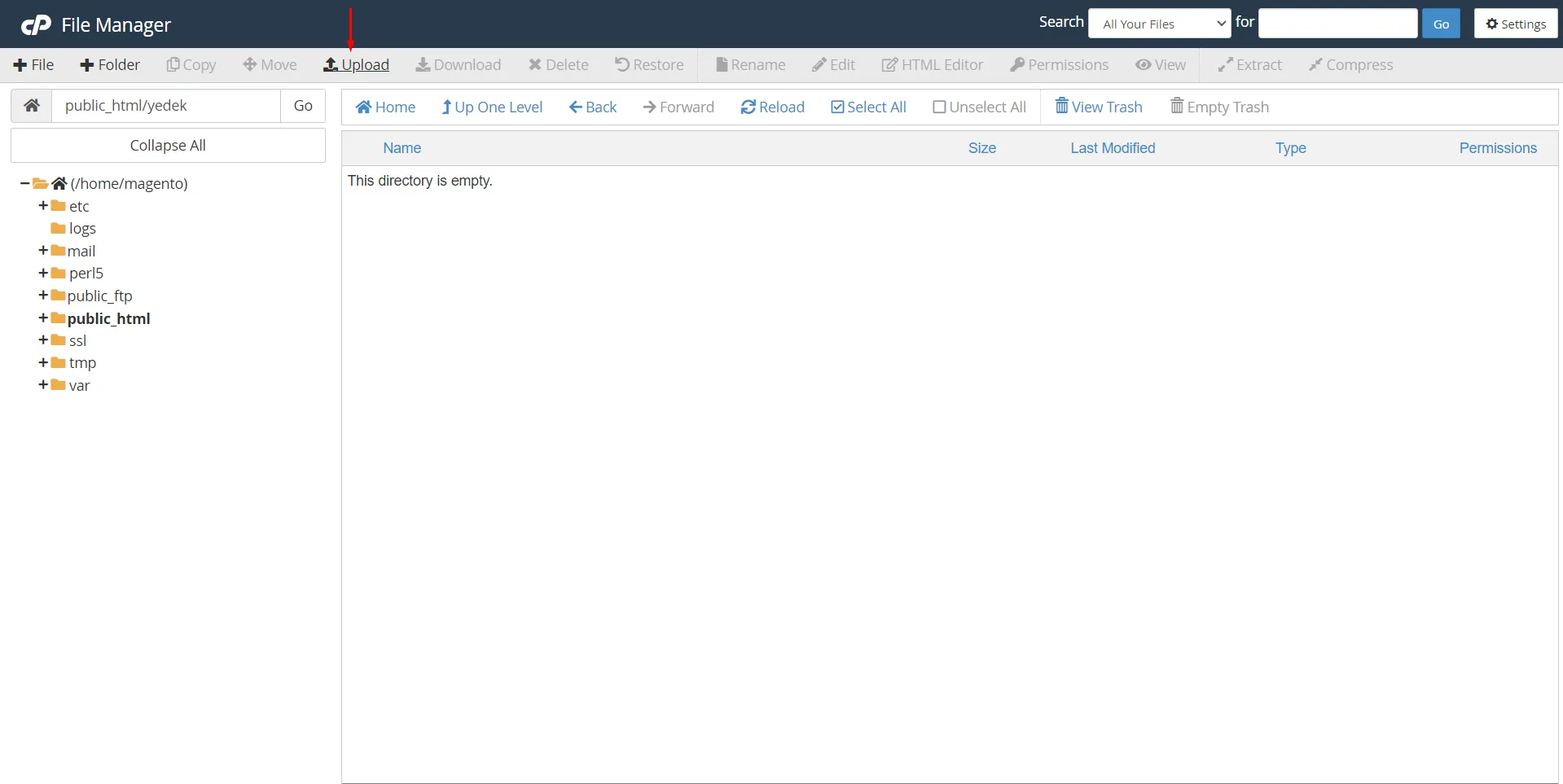
Enter the Backup folder and click Upload.
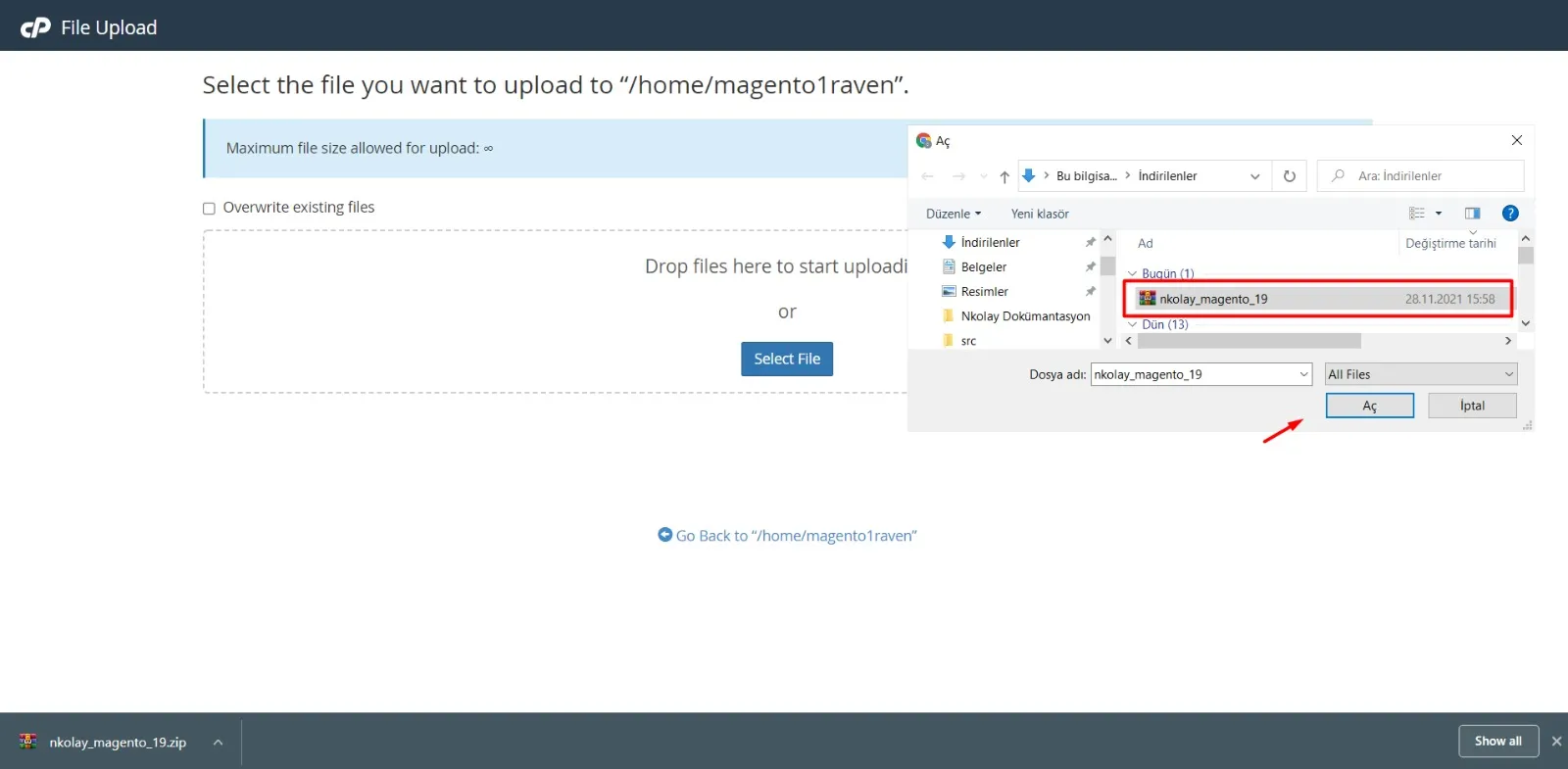
On the opened page, click Select File, select the module and complete the upload.
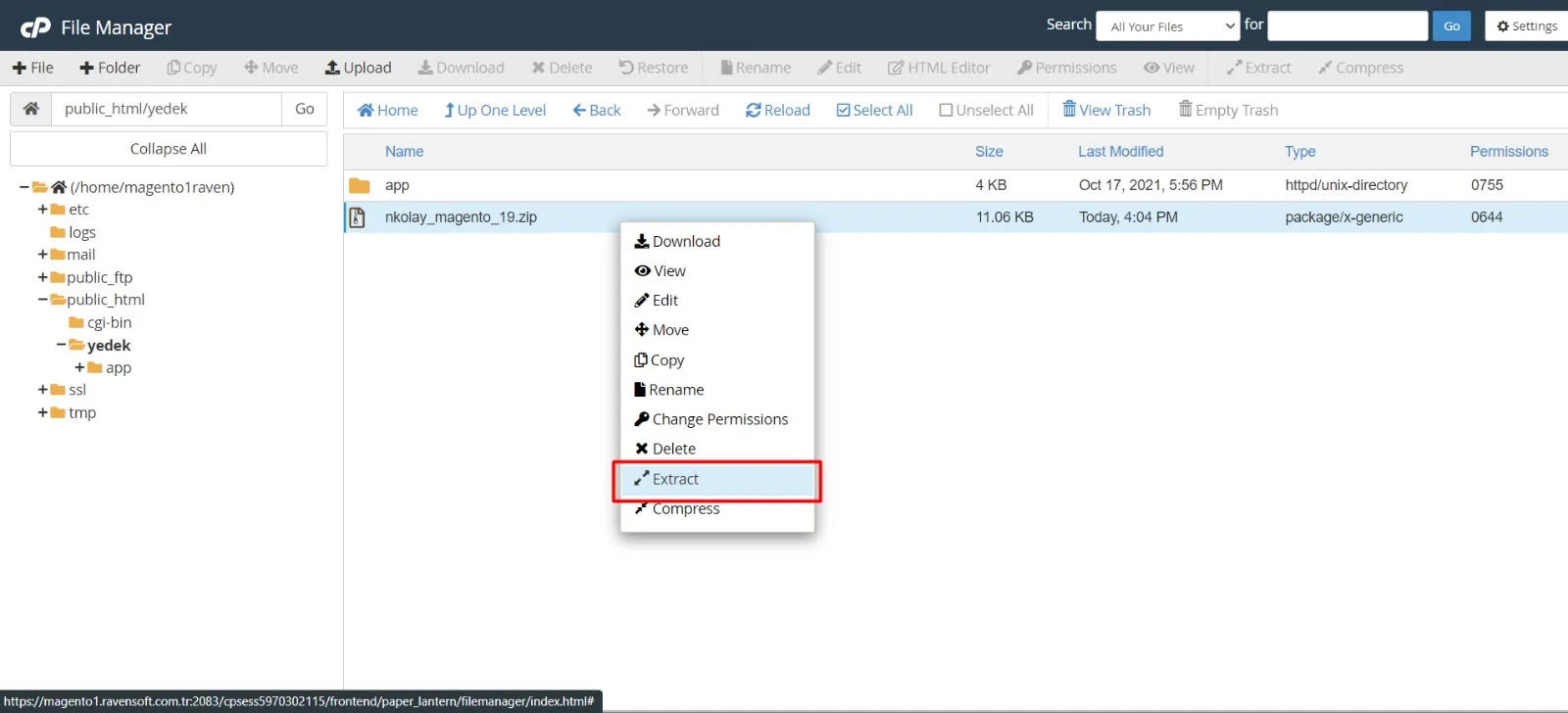
After uploading the file, right-click on it and click Extract.
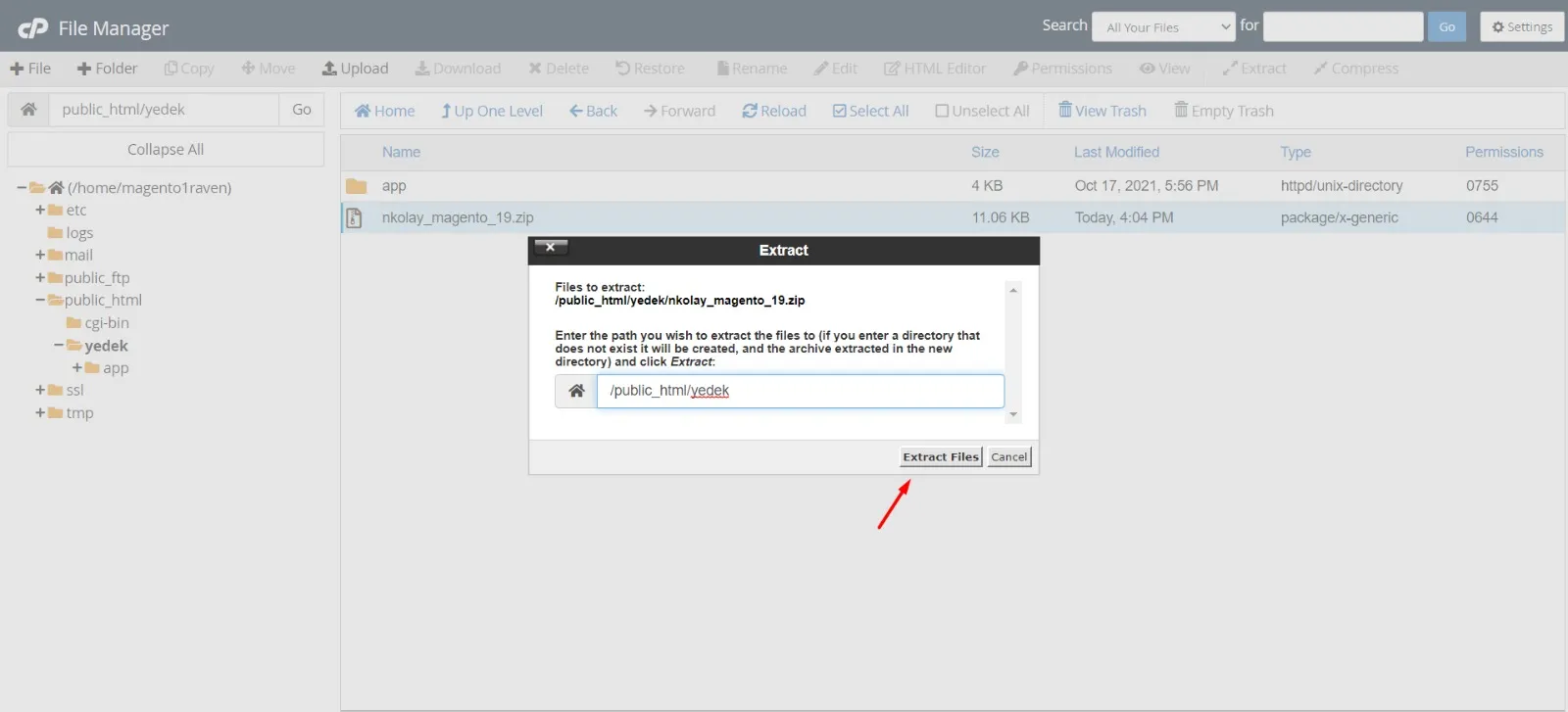
In the opened window, click the Extract File button.
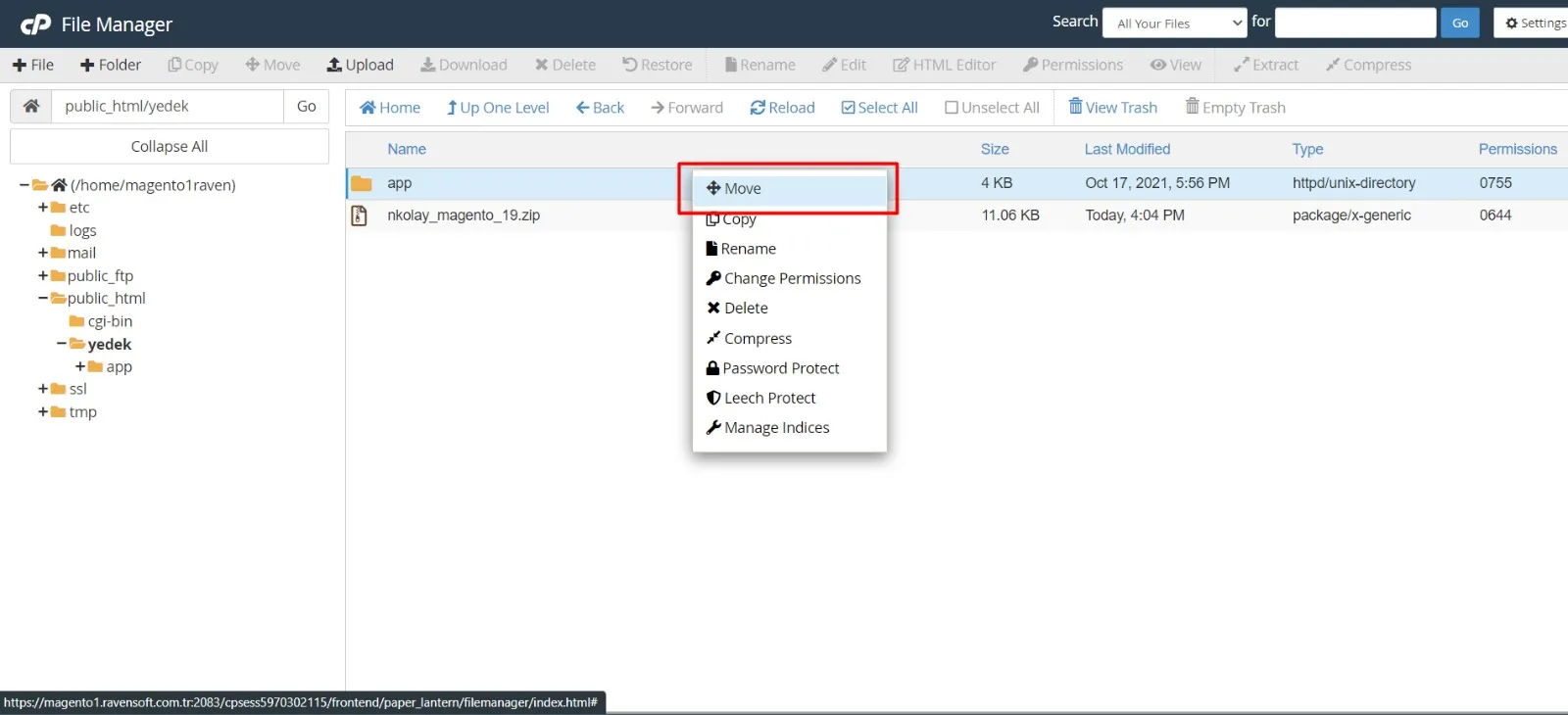
Go back to File Manager, right-click on the app folder and click Move.
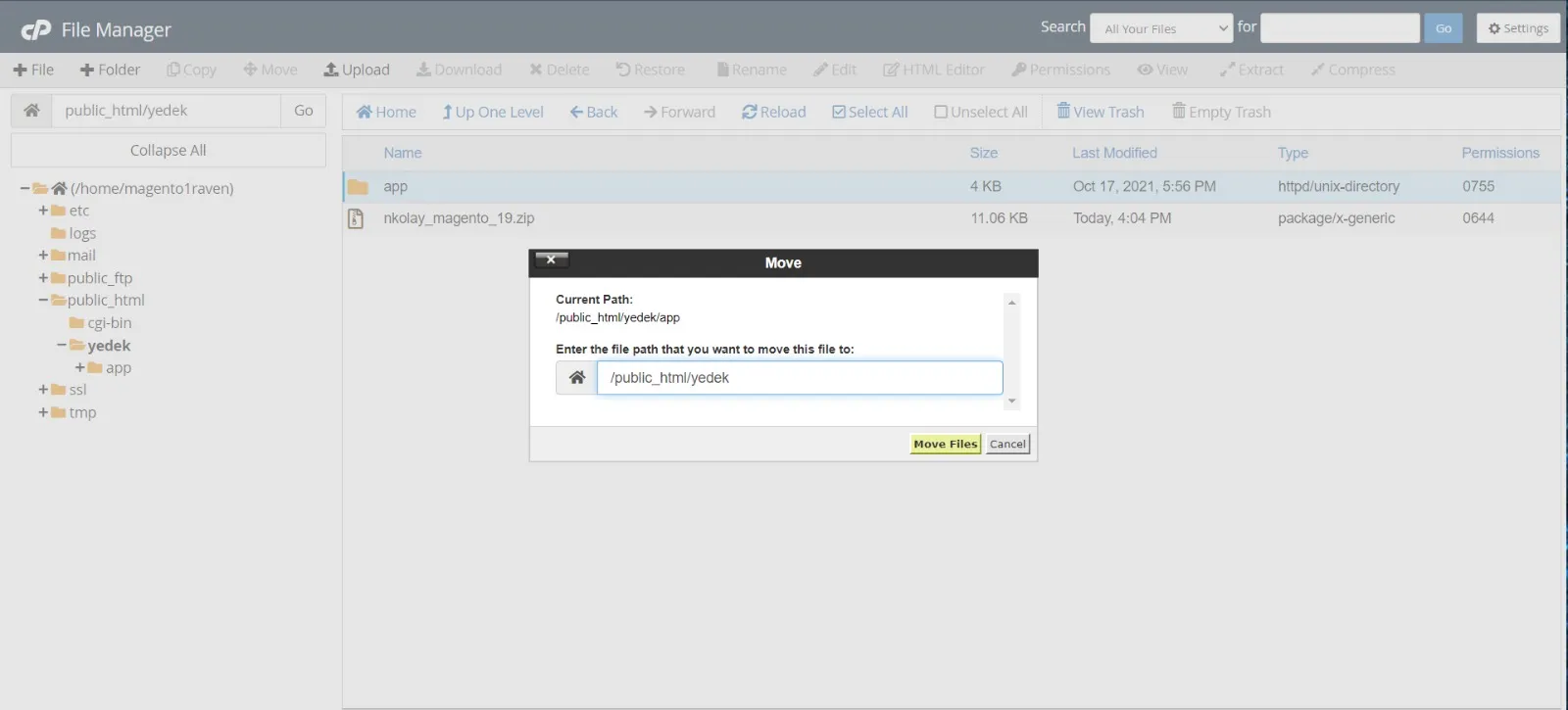
In the opened window, write /public_html in the address bar and click the Move Files button.
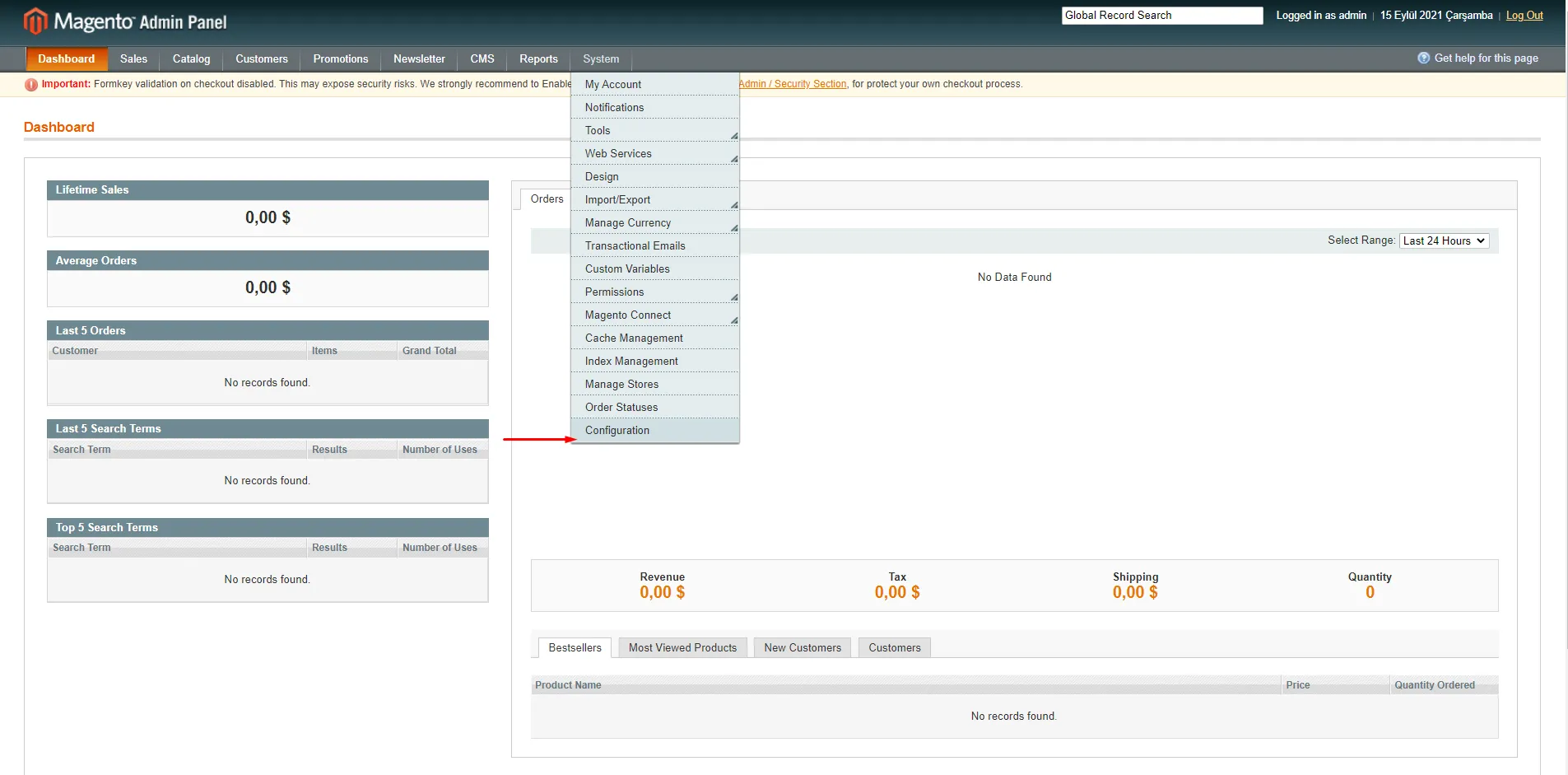
Log in to the Magento admin panel and click System > Configuration.
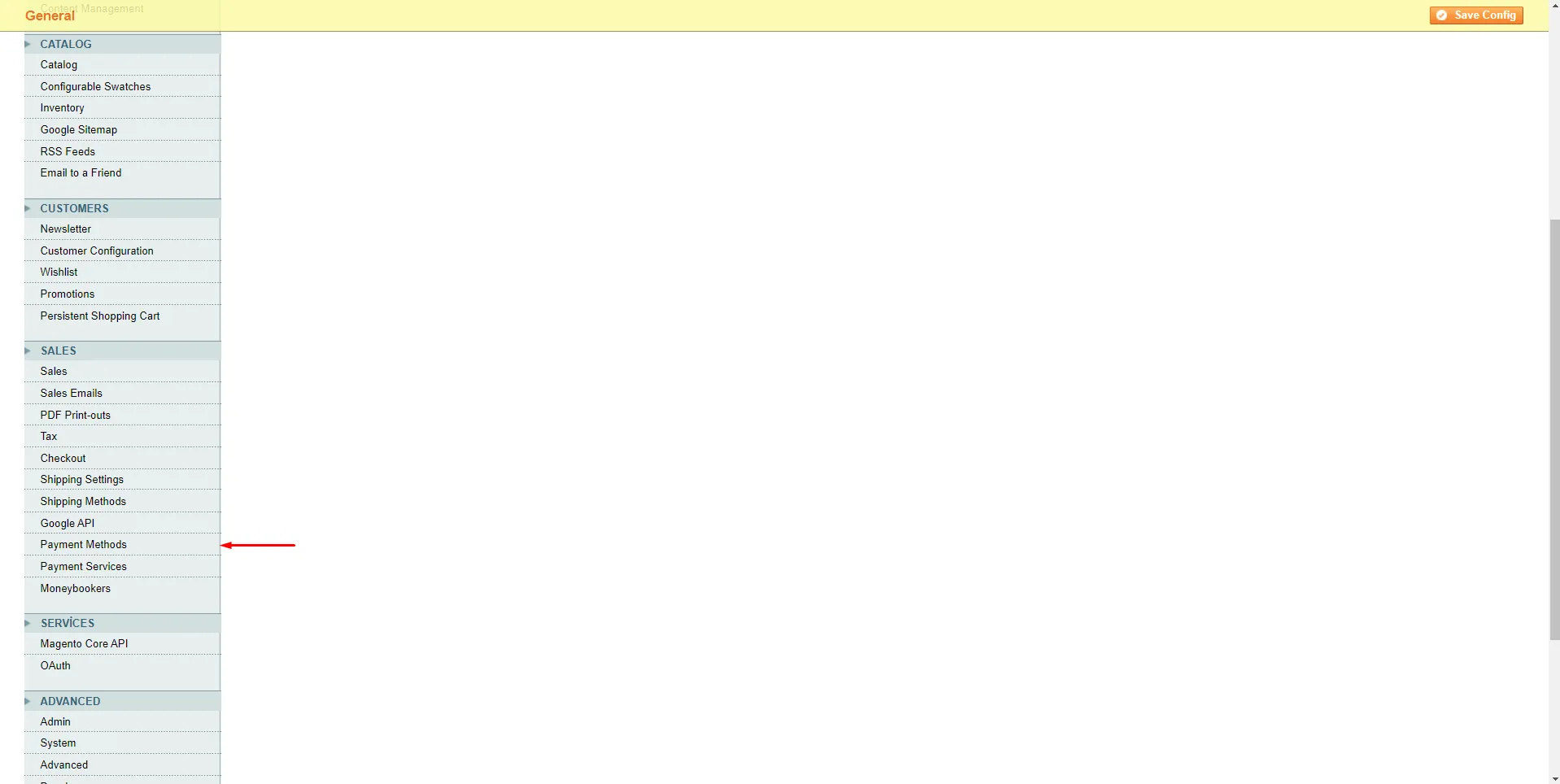
Click on Payment Methods from the left menu.
On the opened page, go to the N Kolay Öde SanalPos Module section, enter your SX Key and Secret Key information and click the Save Config button. This way, you have integrated the Paynkolay SanalPos module into your site.